Automation for Increased Efficiency with AI | Kuikwit
AI automation is already helping businesses in the US and UAE sort emails, handle onboarding, and manage support faster. This guide breaks down how it works, what it costs, and where to start.


Alright, let me cut straight to it. AI automation is not some far-off sci-fi thing anymore. It is here, it is happening, and businesses you would not expect are already knee-deep in it. We are talking about stuff like sorting through customer emails, keeping tabs on inventory, running new hires through onboarding. Not flashy. But real. If you have been side-eyeing all the hype and wondering whether any of it matters to you, keep reading. I will do my best to make this make sense without drowning you in jargon.
Okay but what actually is AI automation?
So here is the way I usually put it. Regular automation is your coffee maker on a timer. It does one thing, same time, same way, every morning. Done. AI automation is more like a barista who has memorised your order, noticed that you switch to decaf on Fridays for some reason, and has your cup waiting before you even reach the counter. Bit creepy, bit impressive.
What you are really doing is mashing together artificial intelligence, which is the part that learns and spots patterns, with automation tools that go off and do the actual work. The combo lets you hand off tasks that normally needed a human brain behind them. I am not saying it replaces all human thinking. Not even close. Stuff that requires creativity or real judgment? Still ours. But repetitive, pattern-heavy work that makes you want to bash your head against the desk? Yeah. Machines are weirdly good at that now. If you want a broader look at how AI and automation work together, this breakdown covers it well.
Is it actually worth spending money on this?
That is the million dollar question, right? And the annoying answer is: it depends. I have chatted with small business owners who got back ten-plus hours a week after automating invoicing and follow-ups. Ten hours! That is basically a whole extra day they were not getting before. But then I have also watched companies blow six figures on AI platforms that just sat there gathering dust because nobody bothered to think through the process first.
The people who do well with this tend to start really small. They pick one thing that bugs them. One task that eats up time every week like clockwork. They automate that, see how it goes, and build from there. The ones who fail? They usually threw money at AI because they saw a competitor post about it on LinkedIn. That is not a strategy. That is panic buying.
How does any of this work behind the scenes?
Okay I will keep this non-technical. Basically you feed the system a bunch of data. Customer conversations, sales numbers, support tickets, whatever you have got sitting around. The AI digs through all of it and starts noticing patterns. After that, you plug it into the tools you are already running. Your CRM, your helpdesk, your inventory software.
Once everything is wired up, the system just watches what comes in and responds. Some of that is instant. Like, a customer messages you and the system reads it, works out what they need, and either replies automatically or hands it to the right person on your team. Other tasks run in the background while you sleep. Processing bulk orders, spitting out reports, that sort of thing. Point is, you set it up once and then you are not hovering over it constantly.
How Intelligent Automation Actually Fits Into a Normal Workday
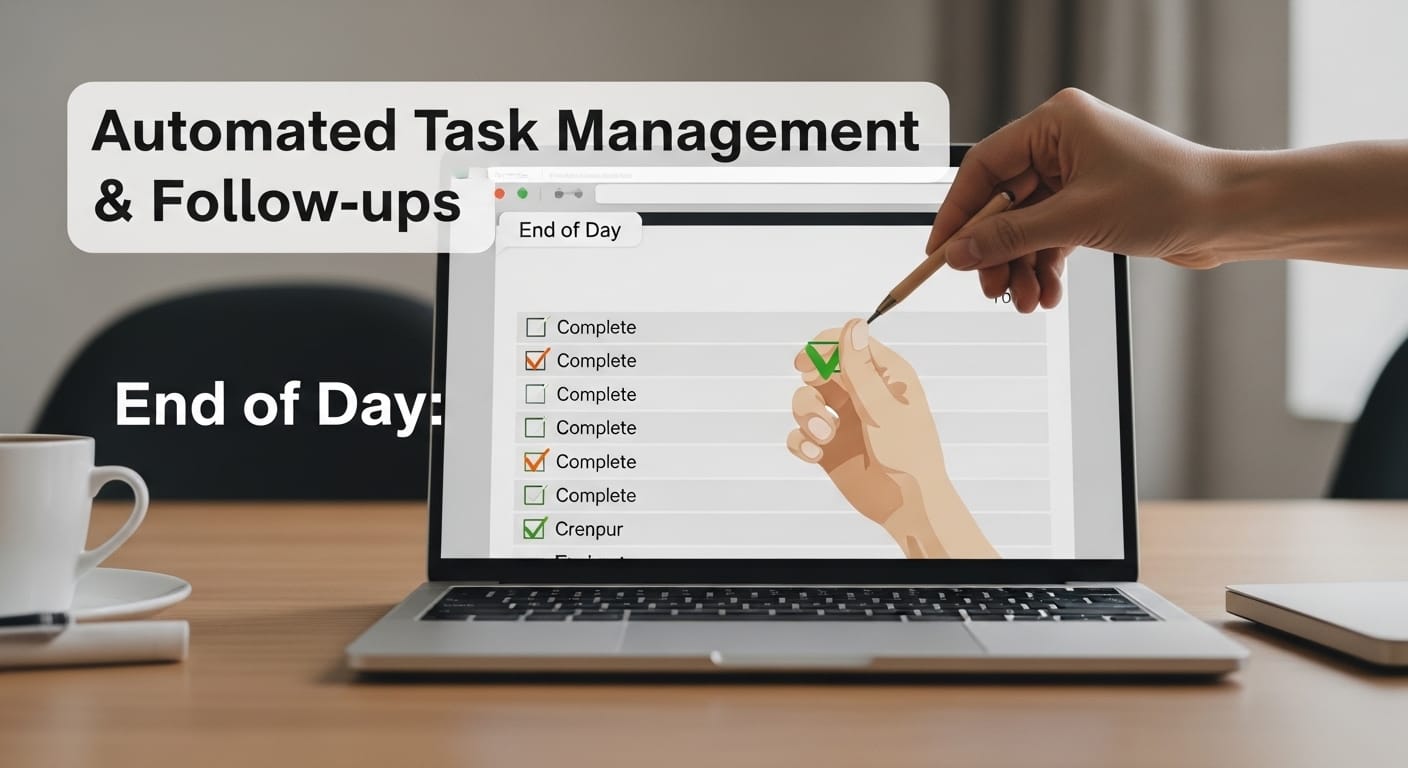
People hear "intelligent automation" and immediately think of robots at desks. I get it. But that is not what is happening here. What it actually looks like is pretty boring, honestly. Your inbox is already organised when you open your laptop. Your calendar reshuffled itself because two meetings clashed. Your accounting software flagged a duplicate payment before someone on your team accidentally paid it twice.
Quiet stuff. You barely clock it happening. Which, if you think about it, is sort of the point.
But here is what nobody warns you about. The setup part? That is where it gets ugly. Someone on your team, or you, has to sit down and really map the whole workflow out. Not the version that exists in your head, the version that actually happens day to day. Where does information come in? Who touches it? What decisions get made and where does stuff get bottlenecked? I have seen teams blow past this step entirely and end up with automation that made things worse, not better. One team I worked with automated a process that was already broken and all they achieved was breaking it faster. Please do not be that team.
Artificial Intelligence Meets Your Boring Business Processes
Here is what cracks me up. People go absolutely wild for AI when it paints pictures or writes poetry. Cool, sure. But the stuff that actually puts money in your pocket? Dead boring. Business process automation is not the kind of thing anyone brags about at dinner parties. Nobody is posting their automated invoice workflow on social media. And yet it is quietly saving companies an absurd number of hours every year.
Customer onboarding is a good example. Old way: someone on your team collects documents, eyeballs them, types data into three different systems by hand, sends a welcome email. Maybe that eats an hour per new customer. New way: AI reads the docs, cross-checks them against the right databases, populates all three systems automatically, fires off the email. A human checks a dashboard, deals with anything weird, moves on. That hour just became eight minutes. Maybe less.
Now picture that happening a few hundred times a month. Starts to add up, does it not? That is why people care about process automation even though the topic itself would put most people to sleep.
AI Agents, and No, They Are Not Like the Movies

Everyone keeps throwing around "AI agents" and I understand why it sounds intense. Like something from a thriller. In reality, an AI agent is just a piece of software that you can give a goal to and it will work out the steps on its own. That is really all it is.
Old-style automation needed you to spell out every single step. Step one do this, step two do that, step three do the other thing. If step four hit a wall, the whole thing just stopped. Dead. An AI agent runs into a wall and goes, okay, let me try going around it. That matters a ton when your work is messy and unpredictable. Customer support is the obvious example.
A normal chatbot handles FAQs and that is about it. An AI agent reads the customer’s message, pulls their order history, checks whether there is a known bug with the thing they bought, and writes a personalised reply. All before a human even sees the ticket. Kuikwit is doing some cool stuff in this space, by the way. They pull conversations from WhatsApp, email, Instagram, live chat, all into one dashboard, acting as a unified communication tool that goes beyond traditional CRM. AI does the first pass. Humans jump in when their judgment actually matters, not for every single message that comes through.
Real Use Cases, Not Hypothetical Ones
I could make up theoretical examples but what good does that do? Let me tell you about things I have actually seen working.
One e-commerce company, mid-size, automated their returns. Customer fills out a form, AI reads why they want to return it, checks their purchase history, and either auto-approves or flags it for a human to look at. Processing time dropped by about seventy percent. That is not a small number.
A logistics firm I spoke with started using AI-driven route optimisation. It adjusts routes in real time based on traffic and delivery windows. Before that, their drivers were manually figuring out routes every morning. Now they just open the app and go.
And then there is this little law firm, maybe fifteen people. They started running contracts through AI. It reads documents, highlights sketchy clauses, compares everything against their standard templates. A task that used to eat three hours of a junior associate’s day now takes about twenty minutes of human review. These are not giant corporations with unlimited money. Regular businesses. They just got sick of wasting time on stuff a computer could handle.
The Software and Control Systems You Never See

Every time you see an automation running smoothly, just know there is a rat’s nest of software behind it making that happen. Orchestration platforms deciding what runs and when. Monitoring tools watching for errors. API connections shuffling data between your CRM, your accounting app, your email platform, your inventory system. If one of those connections glitches out, the whole thing can grind to a halt.
This is why the control layer is just as important as the AI. Maybe more so. A small business using Zapier has a simple setup. A few apps connected, a couple of triggers, nothing crazy. A bigger company running hundreds of automated workflows needs proper error handling, logging, fallback plans. The complexity grows fast.
And honestly? This is the part where I see the most projects fall apart. The AI works fine. The infrastructure underneath it does not. So if you are planning a rollout, do yourself a favour and budget for the plumbing. Not glamorous, I know. But it is the thing keeping your automations alive at 3am when everyone is asleep.
Old-School Automation vs the New Stuff
|
What
We Are Comparing |
Traditional
Automation |
Intelligent
Automation |
|
How It Decides |
Same fixed rules, every time,
no exceptions |
Picks up on patterns in data
and adjusts over time |
|
What Data It Can Handle |
Only the clean, structured
kind |
Messy emails, scanned PDFs,
images, you name it |
|
When Things Break |
Stops cold or follows a backup
rule |
Tries a different route by
itself |
|
Setup Time |
Faster. Map the steps, flip
the switch |
Slower. Needs training data
before it can do anything |
|
Maintenance |
You update rules by hand when
things change |
Retrains itself on new data |
|
Best At |
Doing the same task a thousand
times identically |
Tasks that change depending on
the situation |
Mistakes I Have Seen People Make (More Than Once)
Okay, number one, and I cannot stress this enough. People try to automate a workflow that is already a dumpster fire. Think about that for a second. If the process is a mess when humans do it, putting a machine on it just means you are producing garbage faster. Fix the process first. Seriously. I mean it. Do that before you touch any AI tool.
Number two. The people who actually do the work day in and day out? They almost never get asked for their opinion. Management decides what gets automated. A developer builds it. And then the customer service rep who handles two hundred tickets a day looks at it and goes, "You automated the one part that was already easy and completely ignored the thing that eats forty minutes of my morning." Talk to your people. Before you build anything.
Third: data. AI needs decent data. If your records are split between four random spreadsheets, a database someone set up in 2011 and nobody has touched since, and one person’s email archive... you do not have an automation project. You have a data cleanup project. Get that sorted first.
Last one. Going too big too fast. I see it constantly. Pick one process. One. Automate it. Make sure it actually works. Then expand. Companies that try to transform everything at once almost always stall out halfway through and end up with a half-finished mess that nobody trusts.
Where I Think This Is All Going
I am not going to pretend I have a crystal ball. Anybody who tells you they know exactly where AI automation will be in five or ten years is either lying or selling a course. Probably both.
What I can say is that the businesses treating this as an actual shift in how they operate, not as a trend they need to be seen participating in, those are the ones getting ahead. They start with something small. They track whether it is working. They bring in people who understand both the tech side and the business side. And maybe most importantly, they are honest with themselves about what AI can do today versus what still needs a real person.
That honesty matters more than whatever platform you buy. The tools will keep improving. The harder question is whether your team knows how to use them well. And that, the people part, is still very much a human thing to work out.
Frequently Asked Questions
Which industries are seeing the biggest payoff right now?
Banking and finance are way out in front. Fraud detection, compliance stuff, loan processing. Healthcare is not far behind, with scheduling, patient triage, and billing. Logistics companies have been doing route optimisation and demand forecasting for years at this point. Retail is big on inventory and personalised recommendations. Manufacturing does predictive maintenance to catch equipment problems before they happen.
That said, I have personally seen accounting firms, small law offices, and even little creative agencies get legit results from pretty basic workflow automation. Even niche sectors like commercial real estate are finding value, and CRM solutions built for that space show just how specific you can get. You do not need to be in a massive industry for this to pay off.
Am I going to lose my job to AI?
Not in the way you are probably imagining. What I keep seeing happen is that jobs change shape. The boring repetitive bits get automated and the role shifts toward oversight, judgment calls, and handling the strange edge cases that machines still fumble. Will some positions disappear? Yeah, particularly the ones that are almost entirely data entry. But new roles keep showing up too. AI trainers, workflow designers, people who sit between the tech and the business.
My honest take: learn to work with these tools. Do not bet on them going away. That is the smartest move right now.
How long until I actually see results?
For something basic like automating follow-up emails or invoice reminders? Could be a week or two before you feel the difference. If you are doing something more involved with custom AI models and a bunch of integrations? Probably three to six months before you have a clear picture of what is working. I talked to one team that got quick wins in month one but needed nearly a year to get their whole automation strategy dialled in. A lot depends on how clean your data is and whether your team truly understands the process they are trying to automate. And I mean truly, not "we think we understand it."
What is the deal with RPA versus AI automation?
RPA stands for robotic process automation and it is basically the simple version. It follows a script. Click here, copy that, paste it there, send this. No thinking involved. No adapting. Just the same steps, the same way, forever.
AI automation is what happens when you put a brain on top of that. It reads messy text, makes judgment calls, learns from what went wrong last time. Most businesses that are serious about automation use both. RPA does the mechanical grunt work. AI handles the stuff where you actually need to understand context. They work well together, assuming you set them up properly.
Can a small business actually afford this?
Honestly, yes. This is not 2019 anymore. Back then you needed a huge budget and probably a dedicated team. Now there are tools at basically every price point. Free tiers on HubSpot and Zapier can get you going. Something like Kuikwit lets you pull all your customer conversations into one spot and empower your sales team with AI responses without spending a fortune. You do not need developers on staff. You need one specific problem and a bit of patience. Start there.
What does real time processing actually mean day to day?
It means the system reacts the second something happens. Not five minutes later, not next batch run, right now. Customer sends you a WhatsApp message? AI reads it, figures out what it is about, and either replies or routes it to someone on your team. Instantly. In e-commerce it means swapping product recommendations while someone is still clicking around your site. In security it means catching a dodgy login attempt before anything bad happens. The difference between real time and batch processing is basically the difference between stopping a problem and mopping up after one.
How do I pick the right tools without burning money?
Start with the problem. I know everyone says this but I mean it very literally. If you are specifically looking at CRMs, this guide on choosing the right CRM for boosting sales is worth reading. Grab a piece of paper and write down the three things that waste the most time in your week. Then go find tools that specifically solve those three things. Does it plug into what you already use? Your email, CRM, project management tool? Good. Does it have actual user reviews from people in your industry, not just a flashy marketing page? Great. Can you try it for free before paying? Even better.
Oh, and do not assume expensive means good. I have watched fifty-dollar-a-month tools outperform stuff costing ten times more, just because they fit the actual workflow better.
What is workflow automation and why does AI make it better?
Workflow automation is when you chain a bunch of tasks together so they run on their own. New lead fills out a form, they automatically get added to the CRM, welcome email goes out, sales team gets a ping. If your lead handling process needs tightening up before you automate it, these lead management tips are a good starting point. Without AI, that chain runs the exact same way every single time no matter who the lead is.
Add AI and suddenly the system reads the form, figures out how promising the lead looks based on company size and behaviour on your site, writes a personalised email instead of a generic one, and assigns them to a rep based on territory and who has bandwidth. Same chain of events, way more brains behind it. Over hundreds of leads a month, that difference is enormous.
Should I worry about security with all this automation?
Worry is a strong word. Be thoughtful, definitely. Any system that touches customer data or financials needs encryption, access controls, audit logs. That is non-negotiable. The AI part adds an extra thing to think about because these models sometimes process data in ways that are not super transparent.
Use vendors with proper security certs. Do regular check-ins on how it is all working. Have a plan for when, not if, something goes wrong. Security cannot be an afterthought. It has to be baked in from day one. I know that sounds preachy but I have seen what happens when people skip this step and it is not fun.
My company runs on ancient systems. Can this still work?
Short answer: yes. Longer answer: expect some integration headaches. Most modern automation platforms have connectors for common legacy systems. When a direct plug-in does not exist, you can use middleware or RPA bots as a go-between, pulling data out of your old system and feeding it into newer tools.
The annoying part is usually the data format. Old systems store information in all kinds of weird ways that newer AI tools struggle with. You might need a translation layer in between. It costs more and adds moving parts, no sugarcoating that. But it works. Plenty of companies have done it. Just go in with your eyes open and plan for that extra work upfront instead of being surprised by it three months in.