How to Sign Up for Facebook & Link Kuikwit 2026

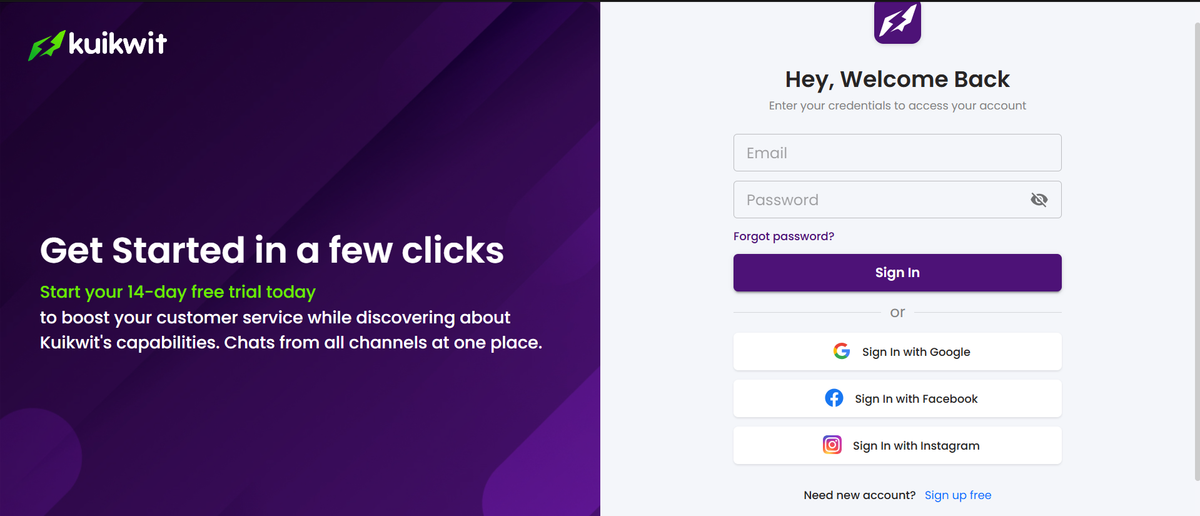
Getting your business online starts when you finally decide to sign up for Facebook and realize that a personal profile just won't cut it for a growing brand. The process is straightforward, but the real magic happens when you stop jumping between tabs and link Kuikwit hub to centralize every single customer DM into one clean dashboard.
Quick FAQ's
What is Kuikwit?
It is a centralized messaging platform that pulls in chats from WhatsApp, Facebook, and Instagram into one place. Think of it as a master remote for all your customer conversations.
Is signing up for Facebook Business worth it?
Absolutely. If you want to run ads, track analytics, or use tools like Kuikwit to automate your customer support, a standard personal account isn't going to give you the professional tools you need.
How does the Kuikwit integration work?
Once you have your Facebook page, you simply authorize Kuikwit to access your messages. It then funnels every incoming query into a single team-shared inbox.
Moving Beyond Personal Profiles to Facebook Business
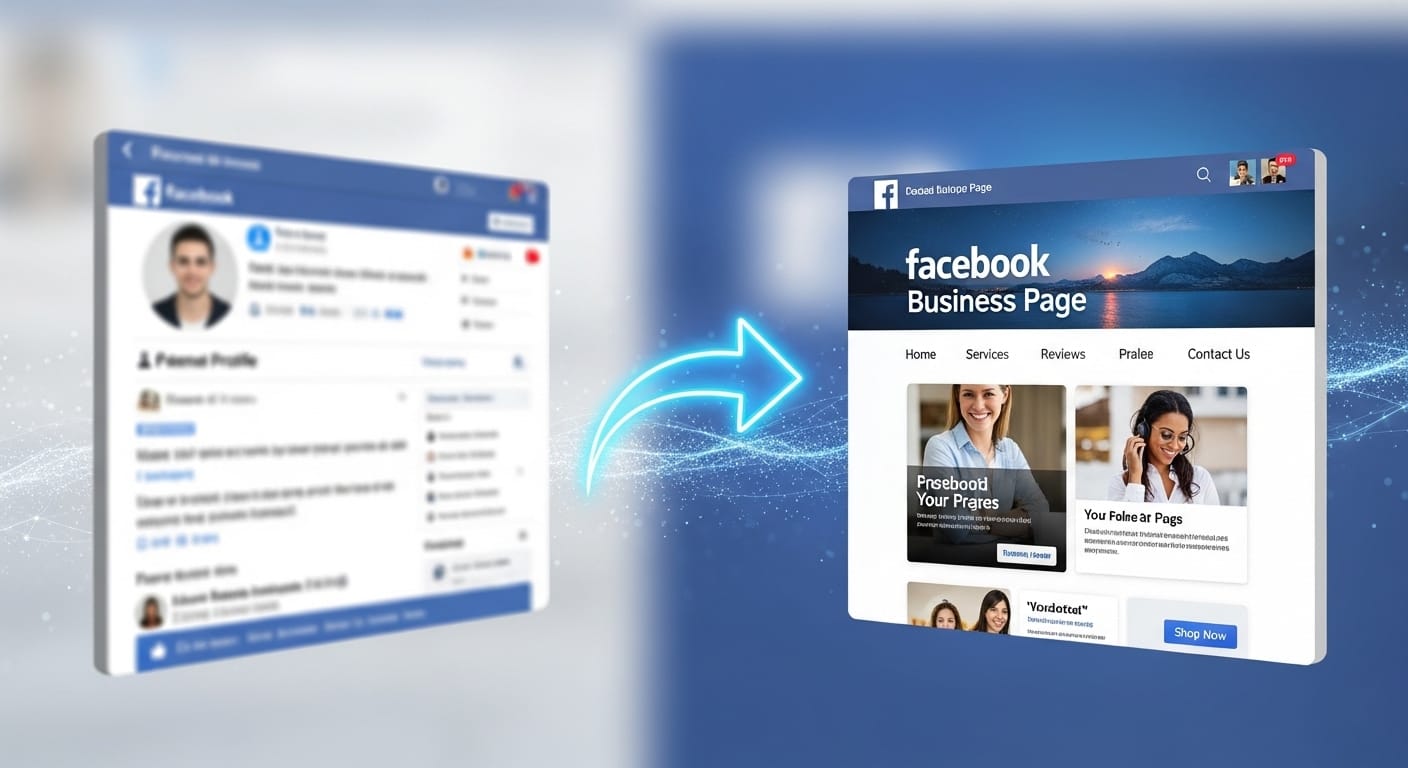
When you first go to sign up for Facebook, it’s easy to get caught up in just making a profile with your name and a photo of your dog. But for anyone running a shop in the USA or a service in the UAE, you need a Business Page. This is the foundation. You head over to the creation suite, pick a category that actually fits what you do, and suddenly you have access to Meta Business Suite.
This is where most people get overwhelmed because the interface is cluttered with notifications and "quiet technologies" that work in the background to track your reach. It’s a lot to handle manually, which is why most smart owners don't stay inside the native Facebook inbox for long. They want to learn how to simplify customer messaging to stay faster and more responsive, keeping up with the modern customer who expects an answer in seconds, not hours.
Why You Should Link Kuikwit Hub Immediately
Setting up your page is only half the battle; managing the flood of messages is the other half. When you link Kuikwit hub, you're essentially giving your team a superpower. Instead of logging into Facebook, then checking WhatsApp on a phone, then opening Instagram on a tablet, everything just sits there in front of you. It’s one dashboard. If you're in a high-speed market like Dubai or New York, you know that a missed message is a missed sale. Kuikwit makes sure that doesn't happen by using smart team assignment. So, if you’re busy, the message goes to the next available person automatically. No more "I thought you were answering that" excuses from the staff. It’s all visible, tracked, and organized without the usual headache of manual delegation.
Leveraging Quiet Technologies for Better Engagement
The world of digital marketing is full of loud, flashy tools, but the real winners are those who use quiet technologies to streamline their backend. In the context of Kuikwit, this refers to the seamless background processes like AI-powered auto-replies and end-to-end encryption that keep your data safe without you having to click a single button. You don't see the complex code making sure your Facebook DMs land in the Kuikwit inbox, but you certainly feel the relief of not having to refresh your browser every two minutes. These invisible systems allow you to focus on the "human" part of your business—the actual selling and relationship building—while the tech handles the heavy lifting of data routing and organization. It’s about working smarter, not harder, especially when your customer base starts scaling globally.
Common Mistakes When Creating a Business Page
A lot of people rush through the process when they sign up for Facebook and leave out the most important bits. They forget a profile picture, or they don't fill out the "About" section properly. This is a huge mistake because Facebook's search algorithm needs that data to show your page to the right people. Another blunder is not setting up the messaging permissions correctly from the start. If you don't toggle the right switches in the settings, third-party tools like Kuikwit can't "see" your messages to help you manage them. You end up with a "ghost" page that looks active but is actually a black hole for customer queries. Take ten extra minutes to fill out every field, add your WhatsApp number, and ensure your business category is spot on so the right audience finds you.
Comparing Kuikwit to Standard Meta Business Suite
If you've ever spent time inside the Meta Business Suite, you know it can be a bit of a maze. It’s powerful, sure, but it’s built for everything—ads, posts, analytics, and more. Kuikwit is different because it focuses specifically on the conversation. While Meta tries to be everything at once, Kuikwit is the specialist that ensures your customer support is flawless. It offers 24/7 human support and a much cleaner interface that doesn't require a degree in data science to navigate. For a small team, the "Smart Teamwork" feature in Kuikwit is a total game-changer compared to the clunky assignment tools in the native Facebook app. It’s the difference between using a Swiss Army knife and a laser-focused scalpel. One gets the job done eventually; the other gets it done perfectly.
Setting Up Your All-In-One Messaging Hub

Once you've managed to sign up for Facebook, the actual connection to a hub shouldn't take more than five minutes. You literally just click "Connect," log in with your Meta credentials, and watch as the messages start flowing in. It’s one of those rare moments in tech where things actually work like they're supposed to, especially when using the top 3 all-in-one chat platforms to manage your communications.
This ease of setup is vital because, let’s be honest, no business owner has time to sit through a three-hour webinar on how to link their social media accounts. You want it done so you can get back to your actual work. Once the link is active, you can start setting up your AI auto-replies. This ensures that even if a customer messages you at 3 AM from across the world, they get a friendly "Hey, we're on it!" instead of silence.
The Role of Analytics in Scaling Your Brand
You can't grow what you don't measure. After you link Kuikwit hub, you start getting these really helpful visual analytics. You can see exactly when your customers are most active. Maybe your Facebook followers in the USA are chatting at 6 PM EST, while your UAE clients are active much earlier. Knowing this allows you to staff your team better. You aren't just guessing anymore; you’re making decisions based on actual data. The analytics also show you how fast your team is responding. If you see response times creeping up, you know it’s time to lean harder on those AI auto-replies or maybe hire another support person. It’s these subtle "quiet technologies" that transform a hobby into a professional, high-revenue organization.
Security and Privacy in the Age of Messaging
With all this talk about centralizing data, some people get nervous about security. It’s a fair point. When you sign up for Facebook and link it to an external platform, you need to know your customers' data isn't just floating around. Kuikwit uses end-to-end encryption and follows strict compliance standards, which is a massive relief. You get the convenience of a unified inbox without the terrifying risk of a data breach. This is especially important for businesses handling sensitive info or orders. Being able to tell your customers that their chat with you is secure builds a level of trust that you just can't buy. It’s that professional polish that makes people feel comfortable handing over their credit card details later on.
Why Multi-Device Access is a Life Saver
Business doesn't just happen at a desk anymore. Sometimes you're at a coffee shop, or you're traveling between meetings in Dubai, or you're just sitting on the couch in the evening. Because Kuikwit offers multi-device access, you can manage your Facebook, WhatsApp, and Instagram chats from your phone or tablet just as easily as your laptop. You aren't tethered to a specific office chair. This flexibility is what allows modern entrepreneurs to stay agile. If an urgent message comes in while you’re out, you can handle it in two taps. It keeps the momentum going and ensures that the "always-on" expectation of today's market doesn't lead to total burnout for you or your team.
| Feature | Facebook Native Inbox | Kuikwit All-in-One Hub |
| Channels | FB & Instagram only | FB, IG, WhatsApp, Twilio, etc. |
| Team Management | Basic manual assignment | Automated "Smart Teamwork" |
| Response Speed | Dependent on manual check | AI-Powered Auto-Replies |
| Setup Time | Instant but messy | 5 Minutes & Centralized |
| Analytics | Hard to find/complex | Visual & Easy to Understand |
Detailed FAQ (People Also Asked)
How do I sign up for Facebook if I already have a personal account?
You don't need a new login. You just go to the "Pages" section of your existing account and click "Create New Page." This keeps your personal life and business life separate while using one login for convenience.
Can I use Kuikwit for free?
Kuikwit usually offers a trial or a free tier to let you see how much easier your life becomes once the messages are centralized. It's worth checking their official site for the latest 2026 pricing.
Does Kuikwit work on Mac and Windows?
Yes, it's a web-based platform with multi-device support, so it works on anything with a browser, plus they have apps for mobile.
Is it hard to link Kuikwit to my Facebook?
Not at all. If you can log into Facebook, you can link the hub. It’s a "click-and-approve" process that takes about two minutes.
Will my customers know I'm using a third-party hub?
No, to them, it just looks like you're responding incredibly fast on Facebook. The "quiet technologies" stay behind the scenes.
Can multiple team members see the same Facebook DMs?
Yes! That’s the whole point of the unified inbox. Your whole team can see the chat history so no one asks the customer the same question twice.
Is WhatsApp included in the Kuikwit dashboard?
Yes, you can link your WhatsApp Business API alongside Facebook to have everything in one spot.
What happens if I lose my phone?
Since Kuikwit is cloud-based, your data and chats are safe. You just log in from another device and pick up right where you left off.
Does this help with SEO?
Indirectly, yes. Faster response times and better engagement on Facebook tell the algorithm your page is valuable, which can help your visibility in search results.
What if I want to disconnect later?
You have full control. You can revoke access at any time through your Facebook business settings or the Kuikwit dashboard.
So yeah, that’s pretty much the long and short of it. Once you get that Facebook page running and plug it into a hub like Kuikwit, the chaos of managing five different apps just... disappears. It makes the whole "running a business" thing feel a lot more manageable, especially when the messages start piling up. Give it a shot and see how much time you actually save. It's kind of a relief to finally have everything in one place.